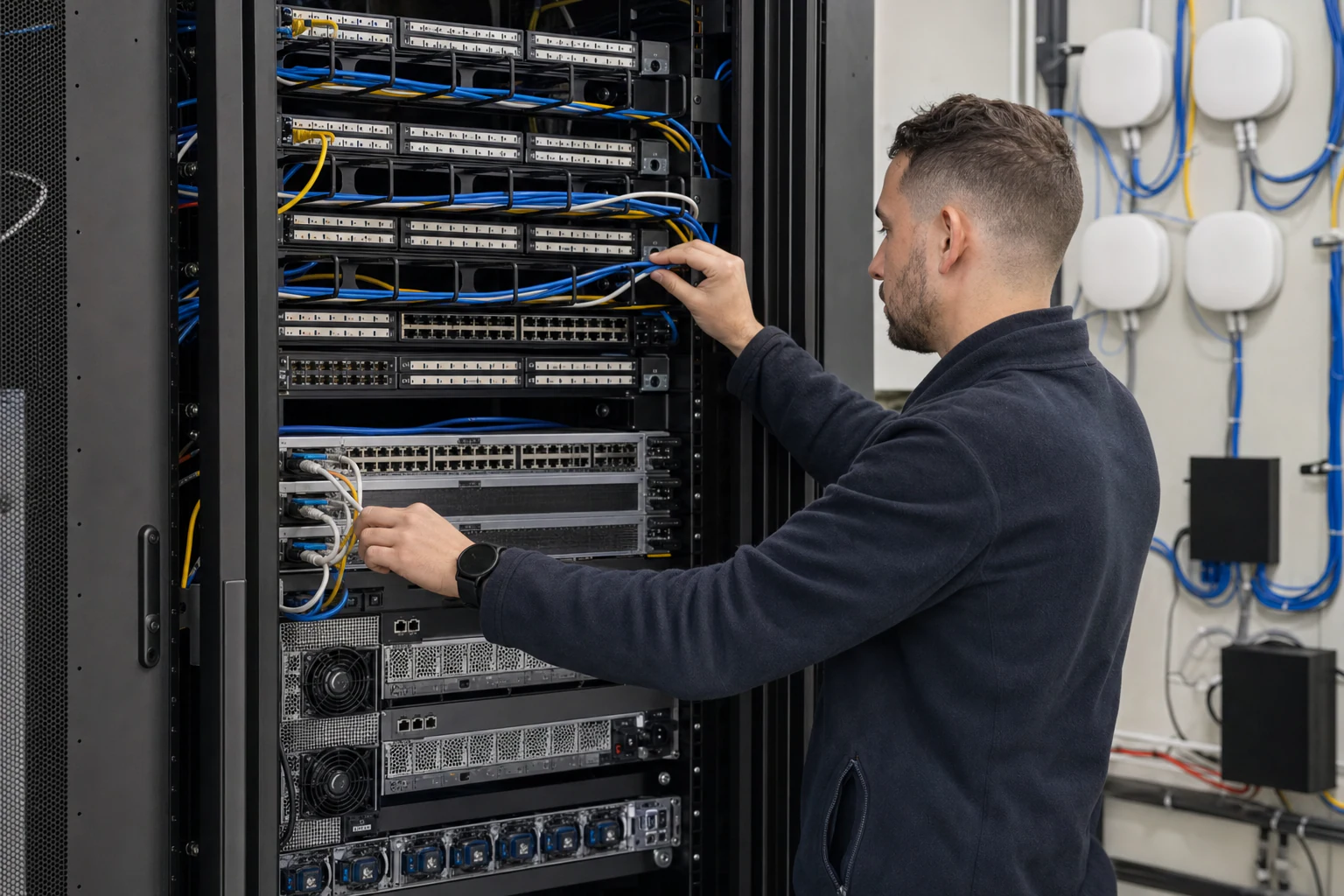
In brief
Engineering guide for campus switching teams covering PoE, access design, MC-LAG/STP risk, telemetry, support, and pilot validation.
Key takeaways
- For the past five years, SONiC (Software for Open Networking in the Cloud) has proven itself inside the data centers of some of the world's largest cloud operators.
- For Australian organisations facing campus refresh cycles, the proposition is compelling.
- This article explains why that matters for campus access and aggregation layers, what PoE campus design looks like on Enterprise SONiC, and how Australian buyers should evaluate the migration path from proprietary stacks.
The campus network is the next frontier for open networking
For the past five years, SONiC (Software for Open Networking in the Cloud) has proven itself inside the data centers of some of the world’s largest cloud operators. The SONiC Foundation, a Linux Foundation project, describes SONiC as “an open source network operating system (NOS) based on Linux that runs on switches from multiple vendors and ASICs” that offers “a full suite of network functionality… production-hardened in the data centers of some of the largest cloud service providers” (sonicfoundation.dev). That production pedigree is now pushing SONiC into a new domain: the enterprise campus.
For Australian organisations facing campus refresh cycles, the proposition is compelling. Instead of locking into a single vendor’s proprietary switching stack for the next seven to ten years, network teams can adopt an open NOS that decouples hardware from software, runs on switches from multiple vendors, and uses a container-based architecture that simplifies upgrades and troubleshooting (github.com/sonic-net/SONiC).
This article explains why that matters for campus access and aggregation layers, what PoE campus design looks like on Enterprise SONiC, and how Australian buyers should evaluate the migration path from proprietary stacks.
What SONiC brings to the campus that proprietary NOS options do not
Traditional campus switching stacks from major incumbents bundle the NOS, management plane, and hardware into a single proprietary package. That model delivers integration but creates three long-term costs:
- Hardware lock-in. Every refresh cycle ties you to the same vendor’s silicon roadmap and pricing.
- Feature lag. Campus-specific features like advanced PoE management, PBR, and virtual chassis are prioritised based on the vendor’s largest customers, not necessarily your deployment scale.
- Opaque operations. Closed-source CLIs and limited API access slow down automation and troubleshooting.
SONiC addresses these by running on a modular, containerized architecture where each network function operates in its own Docker container. As the SONiC GitHub repository notes, this design provides “better fault isolation,” “easier debugging and troubleshooting,” “simplified upgrades and maintenance,” and “enhanced scalability” (github.com/sonic-net/SONiC). For campus networks where a misconfigured access switch can affect hundreds of users, that fault isolation is more than a developer convenience — it is an operational safety net.
The Open Compute Project (OCP) Networking project, which counts SONiC as a core sub-project, frames the broader goal: creating “a set of technologies that are disaggregated and fully open, allowing for rapid innovation in the network space” and giving end users “the ability to forgo traditional closed and proprietary network switches — in favor of a fully open network technology stack” (opencompute.org/projects/networking).
For Australian enterprises, this openness also has a supply chain dimension. With multiple hardware vendors shipping SONiC-compatible switches, organisations gain procurement flexibility — a factor that matters when global supply disruptions or vendor consolidation decisions affect regional availability.
Access and aggregation design patterns for SONiC campus deployments
A SONiC-based campus architecture typically follows a simplified spine-leaf or collapsed-core topology adapted for enterprise wiring closets:
- Access layer: PoE-enabled switches in each floor or building closet, providing power and data to IP phones, wireless access points, security cameras, and IoT endpoints.
- Aggregation layer: Higher-density switches at the building or campus distribution point, aggregating access-layer uplinks and enforcing inter-VLAN routing, policy-based routing, and security segmentation.
- Core (optional): For multi-building campuses, a core layer provides high-speed transit between aggregation blocks.
Key enterprise campus capabilities that SONiC supports or is extending support for include:
| Capability | Campus Role | SONiC Status |
|---|---|---|
| MC-LAG / STP | High-availability access uplinks | Production in data center SONiC; campus edge maturity needs verification |
| Policy-Based Routing (PBR) | Application-aware traffic steering | Supported; campus-scale PBR validation needed |
| EVPN-VXLAN | Campus microsegmentation and overlay | Supported; overlay complexity may exceed small campus requirements |
For Australian buyers, the practical starting point is the Campus Refresh solution framework, which maps these capabilities to real-world deployment stages.
PoE campus design on Enterprise SONiC
Power over Ethernet is the lifeblood of any modern campus network. Access points, VoIP phones, badge readers, and the growing wave of IoT sensors all rely on PoE delivered from the access-layer switch.
A SONiC-based PoE campus deployment requires three things from the hardware platform:
- Sufficient aggregate PoE budget. The switch must support the real endpoint mix: Wi-Fi 6E/7 APs, cameras, phones, sensors, badge readers, and building systems.
- Per-port PoE control. Campus administrators need the ability to set per-port power limits, schedule PoE on/off cycles (for example, powering down APs after hours), and monitor real-time power draw via SNMP or API.
- Intelligent PoE classification. Support for LLDP-MED-based power negotiation allows the switch to deliver exactly the power a connected device requests, reducing waste and improving PD (powered device) compatibility.
The PoE Campus solution guide on xSONiC covers these design considerations in detail.
When paired with Enterprise Access Points supporting Wi-Fi 6E or Wi-Fi 7, a SONiC access switch can deliver both power and high-bandwidth uplinks (multi-gigabit where required) through a single cable run. For organisations replacing aging proprietary AP-plus-switch bundles, this disaggregated model means the AP and switch can be sourced independently, tested separately, and upgraded on different timelines.
The Australian context: sovereignty, compliance, and campus scale
Australia’s enterprise networking market has characteristics that make open networking particularly relevant:
- Data sovereignty requirements. Australian organisations, especially in government and critical infrastructure sectors, face increasing pressure to understand and control their network supply chain. Open-source NOS platforms like SONiC provide transparency into what runs on every switch — no proprietary black boxes.
- Distributed campus footprints. Many Australian enterprises operate across multiple states, regional sites, and remote offices. A standardised SONiC-based access layer simplifies deployment and reduces the need for vendor-specific training at each site.
- Compliance as a differentiator. As noted in OCP Podcast Episode 18, featuring David Hirst of Macquarie Data Centres, the Australian market increasingly treats compliance not as overhead but as a competitive advantage, particularly for organisations handling sensitive or regulated data (opencompute.org/ocp-podcast). While that discussion focused on data center infrastructure, the same principle applies to campus networks that connect users to those data center services.
- Campus refresh timing. Many Australian campuses built in the Wi-Fi 5 / 1GbE era are now due for refresh. The convergence of Wi-Fi 7 APs requiring multi-gigabit uplinks, growing PoE budgets for IoT, and the maturity of disaggregated networking creates a natural migration window.
How to evaluate an Enterprise SONiC campus migration
For network teams new to SONiC on campus, a structured evaluation reduces risk:
Step 1: Define your campus topology. Map each site’s access port count, PoE requirements, uplink speeds, and high-availability needs. Use the Campus Refresh checklist as a starting point.
Step 2: Validate PoE and endpoint classes. Confirm 802.3af/at/bt requirements, LLDP-MED behaviour, aggregate switch budget, UPS runtime, and recovery after switch reload.
Step 3: Test high-availability features. If your campus relies on dual-homed access uplinks, validate MC-LAG and STP behaviour on SONiC in a lab environment. See the MC-LAG and STP guide for design patterns.
Step 4: Confirm management and automation fit. SONiC supports standard Linux tooling, NETCONF/YANG, and SNMP. Evaluate whether your existing NMS (network management system) can manage SONiC switches via these interfaces, or whether you need to adopt new operational tooling.
Step 5: Plan the rollout. Start with a single building or floor. Deploy SONiC access switches alongside your existing infrastructure, validate performance and stability, then expand site by site.
Step 6: Engage with the community. The SONiC community is active on Slack, GitHub, and through the SONiC Foundation. For campus-specific use cases, engage early to understand feature roadmaps and contribute feedback. Visit sonicfoundation.dev to connect.
Enterprise SONiC Campus Acceptance Matrix
| Campus Area | Evidence to Capture | Acceptance Target | Rework Trigger |
|---|---|---|---|
| Access switching | 48-port endpoint mix, PoE class, VLANs, voice, multicast, 802.1X | Representative floor pilot validates all endpoint classes | Data center SONiC evidence is used as a substitute for campus proof |
| Aggregation | MC-LAG, STP, PBR, uplink capacity, route policy | One aggregation failure is logged and recovered within the accepted window | Failover produces loops, asymmetric policy paths, or manual recovery |
| Operations | Config backup, telemetry, syslog, SNMP/gNMI, rollback, help-desk flow | Team can identify user, port, endpoint type, policy, and failure cause | Troubleshooting requires undocumented vendor commands |
| Migration | Current stack config, training, support, optics, cabling, 36-month TCO | Pilot shows measurable cost, control, or automation benefit | Open design reduces licensing but increases operational risk |
| Support | APAC escalation, RMA, image lifecycle, feature roadmap | Supplier owns switch hardware, SONiC image, and support boundary | Support stops at “community SONiC” for production issues |
What this means for campus networking in 2025 and beyond
Enterprise SONiC on campus is not a theoretical exercise. The NOS is production-hardened, the ecosystem is expanding, and the economic argument for disaggregated switching grows stronger with every proprietary vendor price increase. For Australian enterprises approaching a campus refresh, the question is no longer whether SONiC can work in the access layer — it is how quickly your team can evaluate and adopt it.
The Campus Refresh, PoE Campus, Virtual Chassis, and Policy-Based Routing solution guides provide the technical detail to support that evaluation.
To discuss your campus network requirements with the xSONiC team, contact us.
Engineering Evidence Floor
For campus and access switching topics, acceptance should be based on endpoint behaviour under real operating constraints. The evidence package should include endpoint classes, PoE budget, NAC/802.1X, LLDP-MED, voice VLANs, multicast, STP or MC-LAG behaviour, uplink capacity, monitoring, rollback, and help-desk workflow. A representative pilot should run at least 48 ports for 30 days, include one planned rollback inside 24 hours, and document support ownership before scale-out.
| Evidence area | What to validate | Acceptance gate | Rework trigger |
|---|---|---|---|
| Endpoint mix | APs, phones, cameras, laptops, IoT, and printers | 48 ports run mixed load for 24 hours | Only laptop traffic is tested |
| Power and uplinks | PoE budget, 1G/2.5G/5G/10G access, and 100G uplinks | No power or uplink bottleneck in pilot | Refresh ignores closet constraints |
| Resilience | STP, MC-LAG, link loss, member loss, and rollback | 3 failure cases captured | Campus works only in steady state |
| Operations | Monitoring, logs, backup, restore, and help-desk runbook | Incident evidence ready within 2 hours | Support depends on informal notes |
| Rollout | Site selection, training, spares, and change windows | 30 days pilot approved before estate rollout | Procurement scales before validation |
Engineering FAQ
What should be tested before moving campus switching to SONiC or open networking? Test PoE behaviour, NAC integration, VLAN and policy design, STP or MC-LAG interaction, multicast, monitoring, upgrade rollback, and help-desk workflows. Campus readiness is an operations test, not only a forwarding test.
Where do campus refresh projects usually carry hidden risk? The risk often sits in closets: power budget, old cabling, undocumented uplinks, mixed endpoint types, voice devices, cameras, badge systems, and change windows. Those details should be inventoried before selecting switch models.
How should Australian campus teams structure a pilot? Choose one representative site or building, document endpoint classes, run PoE and failover tests, verify monitoring, train operations staff, and define rollback steps before expanding to the broader estate.
Related xSONiC Resources
Sources Reviewed
- IEEE 802.1Q Bridges and Bridged Networks
- IEEE 802.1AX Link Aggregation
- Ethernet Network Adapters - ConnectX NICs | NVIDIA
- NVIDIA BlueField Data Processing Unit
- NVIDIA Spectrum-X Ethernet Platform
- OpenConfig gNMI Specification
- OpenConfig
- RFC 7950 - The YANG 1.1 Data Modeling Language
- RFC 6241 - Network Configuration Protocol (NETCONF)
- IEEE 802.11be Wireless LAN Standard
- IEEE 802.3bt Power over Ethernet
- SONiC Project Documentation
- Broadcom Ethernet Switching
- Marvell Switching
- NVIDIA Ethernet Switching
- Open Compute Networking
- SONiC GitHub
- SONiC Foundation
Product fit
Products referenced for evaluation
These products are referenced for evaluation context in the article. Confirm workload, port, optics, software, interoperability, and support requirements against the exact deployment before procurement.
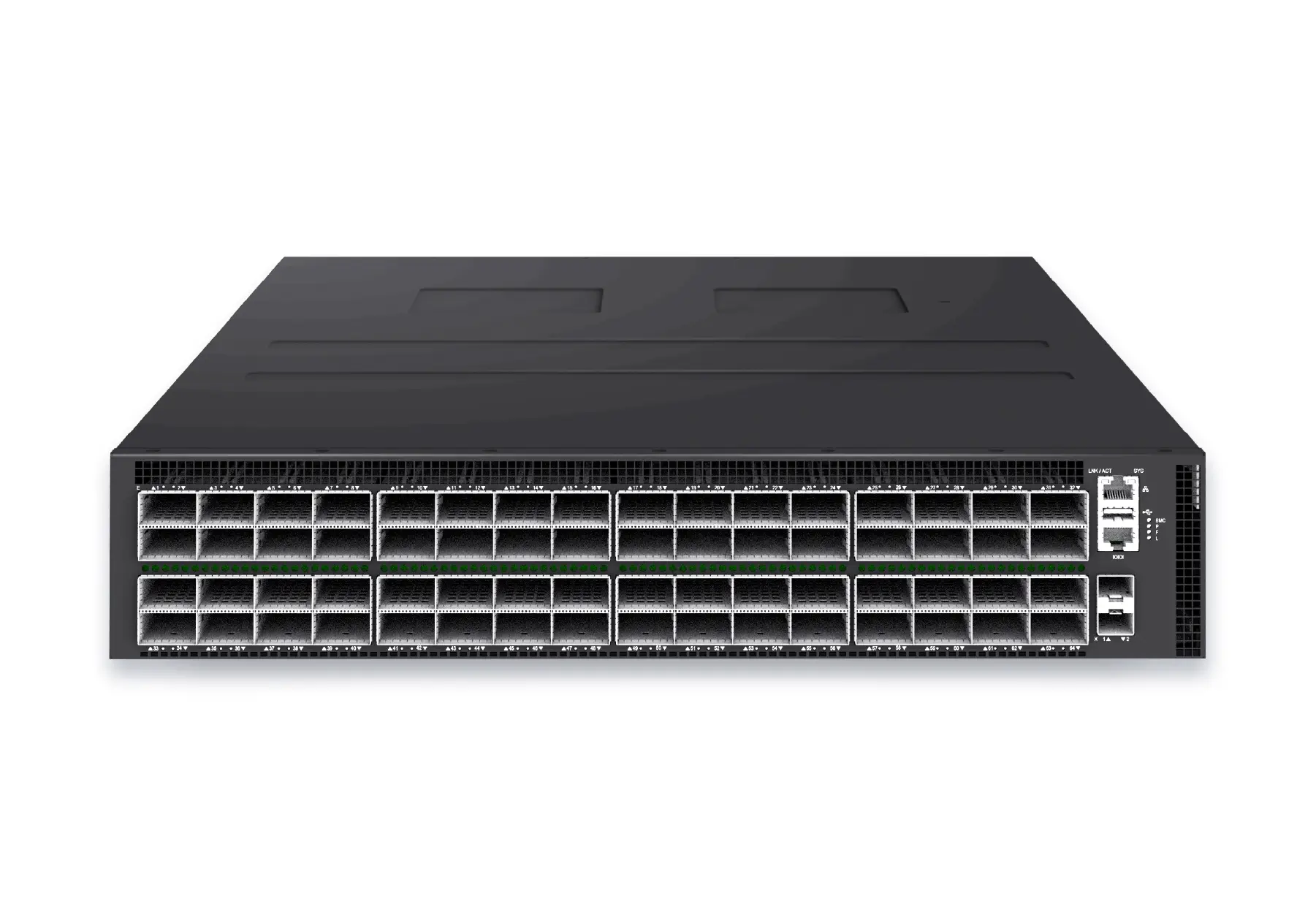 datacenter aiXS-DC-64X800-AI-G164-port 800G AI fabric switch for large-scale GPU clusters, HPC backbones, and ultra-high-throughput data center networks.View product
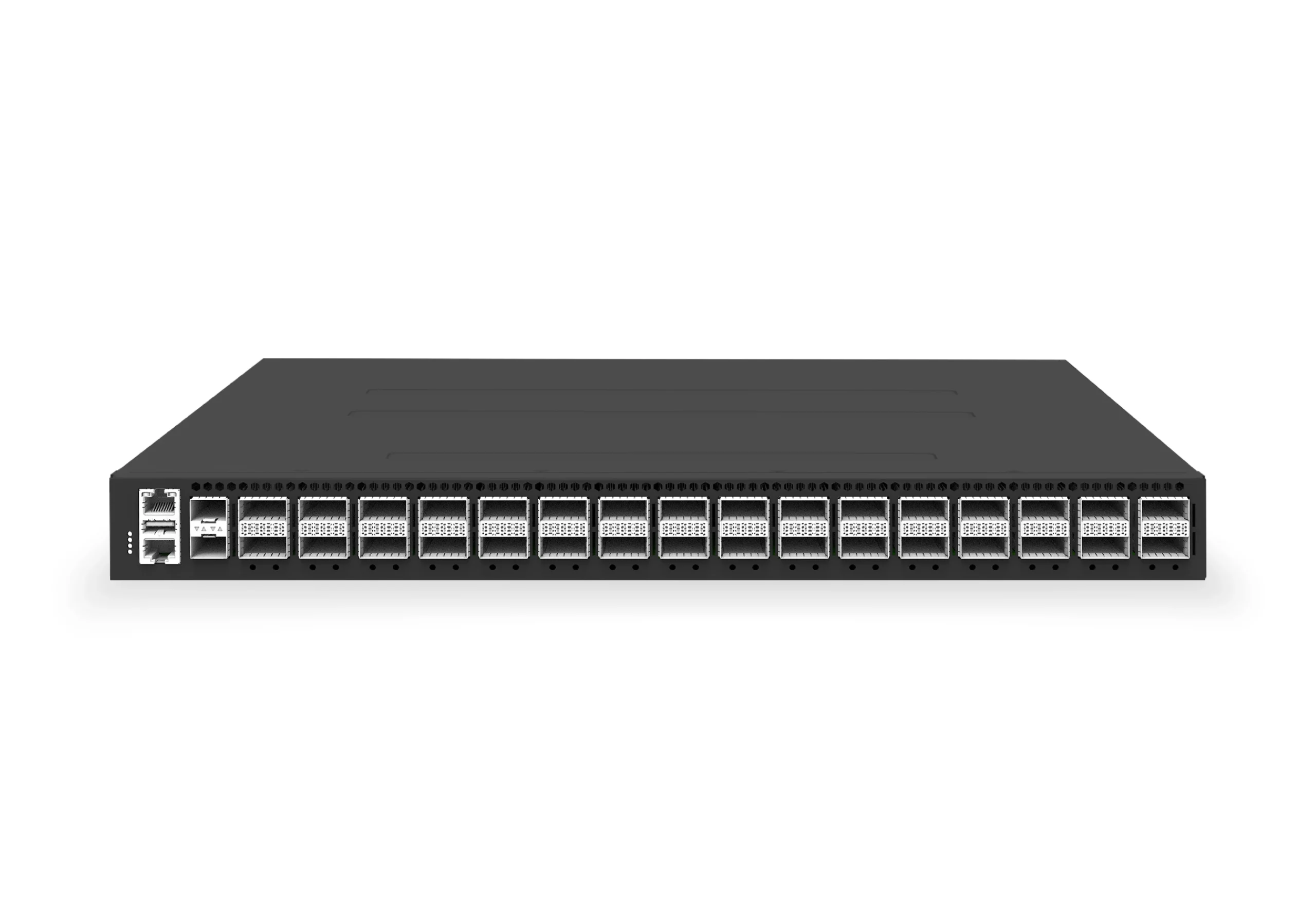 datacenter aiXS-DC-32X400-SP-G232-port 400G spine/core switch for high-capacity data center fabrics and AI-ready backbones.View product
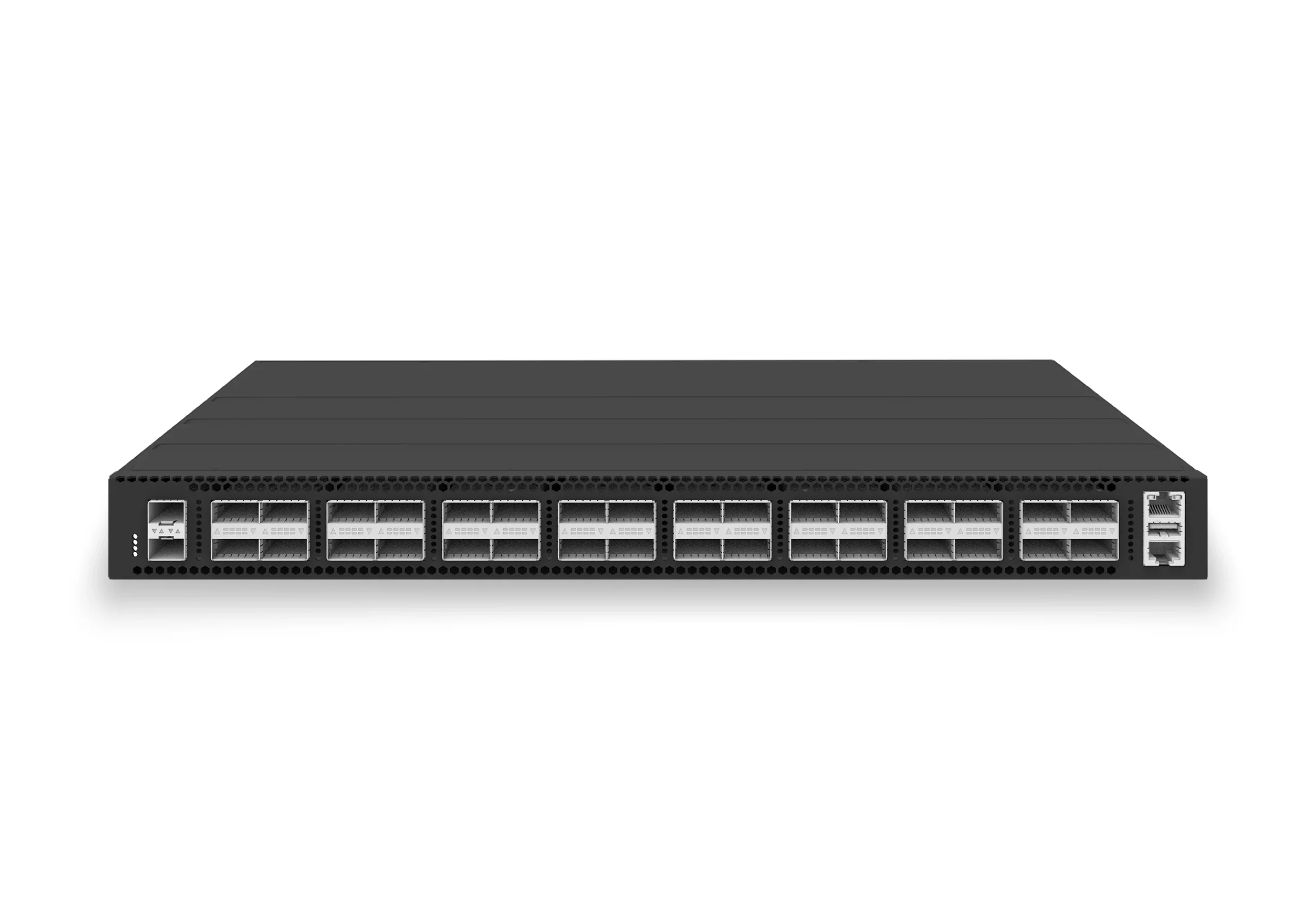 datacenter aiXS-DC-32X100-LS-G232-port 100G leaf/spine switch for VXLAN fabrics, RoCE-ready workloads, and tenant-scale routing.View product
Continue reading
Related articles
 Technical ArticleWhy Enterprise SONiC Is Gaining Ground in Campus Access and Aggregation: An Australian PerspectiveEngineering guide for campus switching teams covering PoE, access design, MC-LAG/STP risk, telemetry, support, and pilot validation.Read article
 Technical ArticleCampus Access and Aggregation Refresh with Enterprise SONiCEngineering guide for campus switching teams covering PoE, access design, MC-LAG/STP risk, telemetry, support, and pilot validation.Read article
 Technical ArticleEnterprise Campus PoE Refresh with SONiC Open NetworkingEngineering guide for campus switching teams covering PoE, access design, MC-LAG/STP risk, telemetry, support, and pilot validation.Read article