In brief
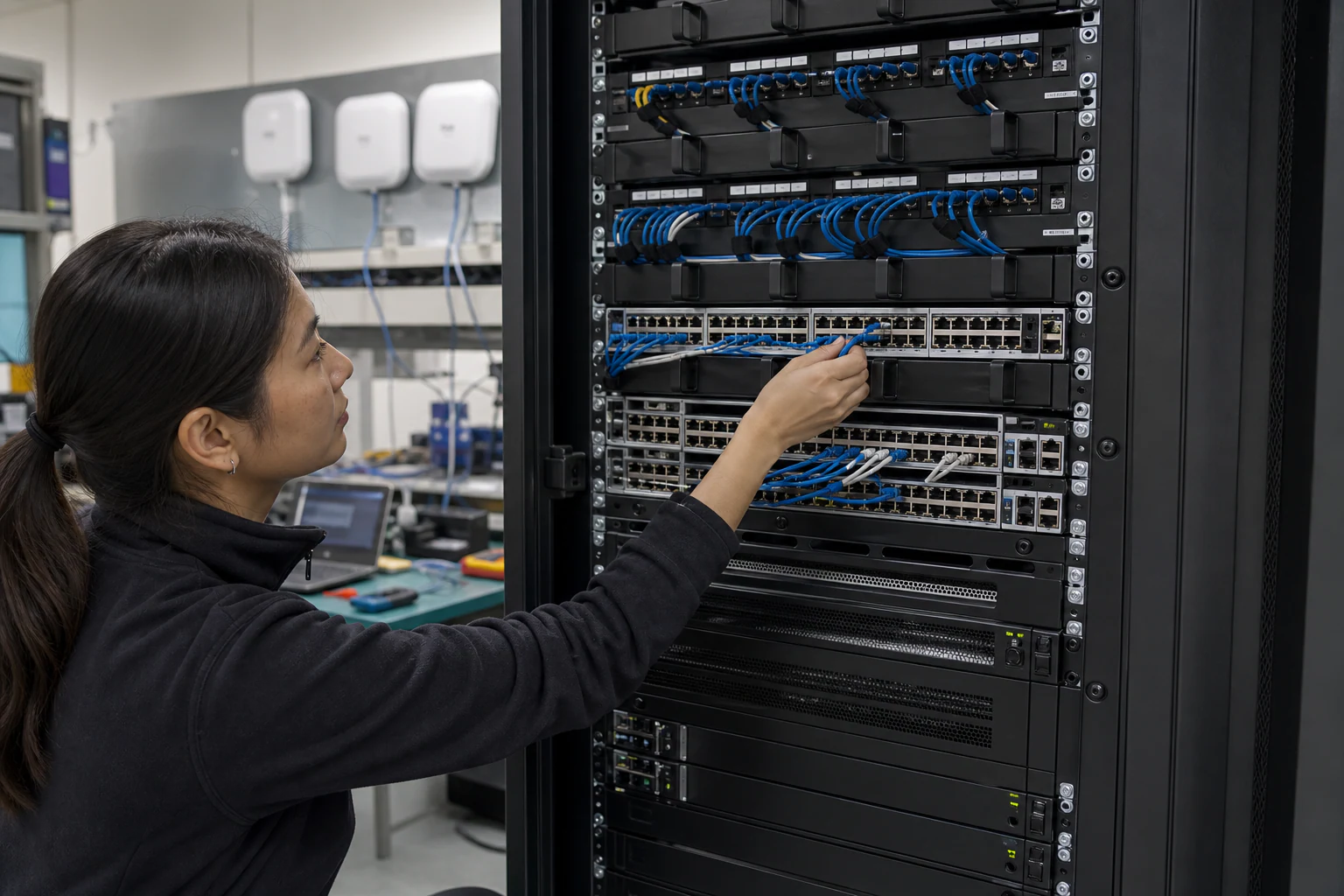
Engineering guidance for Enterprise SONiC campus access and aggregation in Australia, covering PoE++, 802.1X, MC-LAG, STP, uplinks, telemetry, and pilot acceptance.
Key takeaways
- For more than two decades, enterprise campus networks in Australia have run on tightly coupled hardware-software stacks from a small number of incumbent vendors.
- That model is under pressure. Budget scrutiny from CFOs, the operational burden of managing proprietary licensing, and the growing maturity of open-source network operating systems are pushing network architects to ask a harder question: can we run open networking at the campus edge the way cloud operators run it in the data center?
- Software for Open Networking in the Cloud (SONiC) was originally built for hyperscale data center fabrics.
Why Campus Network Teams Are Looking Beyond Proprietary Switch Stacks
For more than two decades, enterprise campus networks in Australia have run on tightly coupled hardware-software stacks from a small number of incumbent vendors. Cisco Catalyst, HPE Aruba, and Juniper EX switches dominate the access and aggregation layers of most mid-to-large campus deployments across Sydney, Melbourne, Brisbane, and Perth. The model is familiar: buy the hardware, license the software, commit to multi-year support contracts, and accept that your switching platform is locked to a single vendor’s roadmap.
That model is under pressure. Budget scrutiny from CFOs, the operational burden of managing proprietary licensing, and the growing maturity of open-source network operating systems are pushing network architects to ask a harder question: can we run open networking at the campus edge the way cloud operators run it in the data center?
Software for Open Networking in the Cloud (SONiC) was originally built for hyperscale data center fabrics. Developed under the Linux Foundation, SONiC is a free and open-source network operating system that decouples hardware from software by running on the Switch Abstraction Interface (SAI). It supports switches from multiple vendors and multiple ASIC families, offers a container-based modular architecture, and has been production-hardened in some of the largest cloud environments in the world.
The question for Australian campus network teams is no longer whether SONiC works — it is whether SONiC can work for campus access and aggregation, and what the real trade-offs look like.
What Enterprise SONiC Brings to Campus Access and Aggregation
SONiC’s core architecture gives it several properties that matter for campus networks:
Multi-vendor hardware flexibility. Because SONiC runs on SAI, it can operate on switching hardware from different vendors and ASIC families. For a campus refresh project, this means you can evaluate access switches on price-performance, PoE budget, port density, and form factor without being locked to a single vendor’s NOS. If your current campus has 1000 proprietary access switches approaching end-of-life, the ability to source hardware from multiple suppliers while running a single NOS is a meaningful operational and commercial advantage.
Containerized service isolation. SONiC splits network functions into independent Docker containers — BGP, LLDP, DHCP relay, SNMP, and others each run in their own container. For campus operations, this means a bug in one service does not necessarily crash the entire switch. It also means individual services can be upgraded or patched without a full switch reboot, reducing maintenance windows in buildings where downtime affects hundreds of users.
Standard Linux tooling. SONiC runs on a Debian Linux base. Campus network teams comfortable with Linux can use familiar tools for log analysis, configuration automation, and monitoring integration. NETCONF and YANG-based management are supported, which aligns with the push toward model-driven network automation across Australian enterprise campuses.
Open-source community and ecosystem. SONiC is backed by a growing community of chip vendors, hardware manufacturers, and cloud operators. The SONiC Foundation, a Linux Foundation project, manages governance, and the GitHub repository has active contributions from major networking companies. For campus buyers, this ecosystem means ongoing development investment and a growing pool of engineers with SONiC experience.
However, SONiC’s campus story is still maturing compared to its data center track record. Features that campus networks depend on — Power over Ethernet management, 802.1X port authentication, VLAN segmentation at scale, access control lists at the edge, and multicast for building automation — require careful validation against the specific SONiC distribution and hardware platform you evaluate.
PoE Campus Considerations: What to Validate
Power over Ethernet is a non-negotiable requirement for most campus access layers. IP phones, wireless access points, security cameras, IoT sensors, and building management devices all draw power from access switch ports. A SONiC-based campus deployment must deliver reliable PoE without the operational overhead of proprietary PoE management stacks.
When evaluating SONiC-compatible switches for PoE campus deployments, Australian network teams should verify:
- PoE standard support. Confirm IEEE 802.3af (PoE), 802.3at (PoE+), and 802.3bt (PoE++) support, depending on your device portfolio. High-density Wi-Fi 6E and Wi-Fi 7 access points often require PoE++ (up to 90W per port).
- Per-port and total PoE budget. Verify that the switch hardware provides sufficient per-port and total chassis PoE budget for your endpoint density. A 48-port access switch serving a mix of phones and APs might need 740W or more of PoE budget.
- PoE scheduling and prioritization. Campus environments often need time-based PoE scheduling (shutting down PoE on conference room ports overnight) and per-port priority settings to ensure critical devices like security cameras stay powered during budget overruns.
- PoE health monitoring. The SONiC distribution and hardware platform should expose per-port PoE status, power draw, and fault information through CLI, SNMP, or streaming telemetry.
- Integration with your wireless controller. If you run cloud-managed or on-premises wireless, confirm that PoE port status from the SONiC switch can be correlated with AP health in your wireless management platform.
Architecture Patterns: Campus Access-Aggregation with SONiC
Most enterprise campuses follow a three-tier or collapsed core architecture: access switches on each floor, aggregation switches in building distribution rooms, and core switches in the main data room or server room. SONiC can serve at any of these tiers, but the design patterns and feature requirements differ.
Access layer. The access layer is where SONiC adoption faces the most feature scrutiny. This layer requires PoE, 802.1X, VLAN assignment, port security, LLDP-MED for phone/AP discovery, QoS marking, and storm control. Evaluate whether your chosen SONiC distribution and hardware platform deliver these features with production-grade reliability.
Aggregation layer. At the aggregation layer, the focus shifts to inter-VLAN routing, link aggregation (MC-LAG or STP-based), policy-based routing, and uplink capacity to the core. SONiC’s BGP and EVPN-VXLAN capabilities, proven in the data center, can be leveraged at the aggregation layer for more scalable and automated campus segmentation than traditional VLAN stretching.
Uplinks and optics. Campus aggregation-to-core links often use 10G, 25G, or 40G fiber uplinks. SONiC-compatible switches support a range of SFP+, SFP28, and QSFP28 optical transceivers. Verifying transceiver compatibility with your campus fiber plant (single-mode vs. multimode, distance, connector type) is a standard but critical part of the evaluation.
For Australian campuses with multiple buildings, SONiC-based EVPN-VXLAN at the aggregation layer can simplify multi-building VLAN management and reduce the need for stretched Layer 2 domains, which is a common pain point in large campus networks.
Campus Acceptance Matrix
Do not accept campus SONiC as “ready” because a data center feature works. Campus access is a power, endpoint, identity, and operations problem. Each building pilot should close the checks below before broader rollout.
| Campus area | What to validate | Engineering acceptance target | Failure signal |
|---|---|---|---|
| PoE edge | 802.3af/at/bt support, per-port draw, total chassis budget, power-supply failover | Switch sustains the real AP/camera/phone mix with margin, including one PSU or budget-stress scenario | 48 ports are sold as PoE-capable but aggregate budget cannot power the endpoint mix |
| Identity and segmentation | 802.1X/MAB, guest VLAN, voice VLAN, IoT VLAN, ACL policy, RADIUS failover | Auth success/fail, dynamic VLAN, and fallback behaviour are documented for at least five endpoint classes | Security policy is tested only with laptops |
| Resilience | MC-LAG, STP/RSTP/MSTP, link failure, switch reload, aggregation failover | Dual-homed access uplinks fail over without loops or prolonged endpoint outage | Vendor demo avoids mixed SONiC/proprietary interop |
| Uplinks and optics | 10G/25G/100G uplinks, SFP+/SFP28/QSFP28 optics, DAC/AOC where used, DOM telemetry | Fiber type, reach, optics SKU, and DOM monitoring are recorded for every building uplink | Replacement optics are bought without validation against the SONiC image |
| Operations | Config backup, telemetry, syslog, SNMP/gNMI, change rollback, help-desk workflow | NOC can identify port, endpoint, VLAN, PoE draw, and error counters without shell access | Campus support depends on a single open-networking specialist |
MC-LAG, STP, and Virtual Chassis: Campus Resilience Patterns
Campus networks need resilient uplink and aggregation designs. Three common patterns apply to SONiC-based campus deployments:
MC-LAG (Multi-Chassis Link Aggregation). MC-LAG allows two aggregation switches to act as a single logical switch from the perspective of access layer uplinks. This provides active-active forwarding and sub-second failover without requiring proprietary stacking protocols. SONiC’s MC-LAG implementation can replace vendor-proprietary virtual switching systems (like Cisco VSS or Aruba VSX) with a standards-based approach.
Spanning Tree Protocol (STP). While modern campus designs favor MC-LAG or EVPN-VXLAN over STP, many existing Australian campus networks still rely on STP for loop prevention. SONiC supports RSTP and MSTP, but validating STP interoperability with any remaining proprietary switches during a phased migration is essential.
Virtual Chassis. Some campus deployments use virtual chassis configurations to manage multiple physical switches as a single logical unit. SONiC’s approach to multi-switch management may differ from proprietary virtual chassis implementations, so evaluating the operational model and CLI consistency is important for teams accustomed to single-pane management of stacked switches.
A Vendor-Neutral Campus Evaluation Checklist for Australian Buyers
If you are evaluating SONiC-based campus switching for an Australian enterprise, here is a structured checklist to guide your assessment:
- Hardware compatibility. Confirm that the access and aggregation switches you are evaluating are on the SONiC supported devices list and that the specific ASIC and platform features you need (PoE, port density, uplink speeds) are validated.
- SONiC distribution. Decide whether to use community SONiC, a commercial SONiC distribution, or an enterprise SONiC distribution from your hardware vendor. Each option has different support, feature, and update cadence implications.
- Feature parity. Map your current campus switch features (PoE, 802.1X, ACLs, QoS, SNMP, LLDP-MED, sFlow/NetFlow) against the SONiC distribution’s feature set. Identify any gaps that require workarounds or phased migration.
- Management and automation. Evaluate how SONiC integrates with your existing network management system, configuration automation tools (Ansible, Terraform, Python), and monitoring stack (Prometheus, Grafana, SNMP collectors).
- Support and SLA. Determine your support model. Community SONiC relies on community forums and GitHub issues. Commercial distributions or hardware vendor bundles may offer enterprise support with SLAs appropriate for campus environments.
- Australian compliance. Verify that the hardware platform meets Australian regulatory requirements (RCM compliance, electrical safety standards) and that your supplier can deliver to Australian locations with appropriate warranty and return-to-base support.
- Transceiver and cabling compatibility. Confirm optical transceiver compatibility with your campus fiber infrastructure and confirm that DAC and AOC cables for short-reach uplinks are available and tested with the SONiC platform.
- Skills and training. Assess your team’s Linux and open networking skills. SONiC-based operations require comfort with Linux, containers, and CLI-driven troubleshooting that may differ from proprietary switch management.
How xSONiC Approaches Campus Access-Aggregation
xSONiC’s access and aggregation switch portfolio is designed for enterprise campus networks that want the operational benefits of SONiC-based open networking without sacrificing the PoE, security, and management features that campus deployments demand. Combined with xSONiC optical transceivers for campus uplinks and bare-metal switching platforms for engineering-led evaluation projects, Australian network teams can build a complete campus access-aggregation stack on open networking principles.
If you are planning a campus refresh in Australia and want to evaluate SONiC-based access and aggregation switching, the xSONiC team can help you scope hardware requirements, validate feature fit, and plan a phased migration from your current proprietary campus stack.
Engineering FAQ
What should be tested before moving campus switching to SONiC or open networking? Test PoE behaviour, NAC integration, VLAN and policy design, STP or MC-LAG interaction, multicast, monitoring, upgrade rollback, and help-desk workflows. Campus readiness is an operations test, not only a forwarding test.
Where do campus refresh projects usually carry hidden risk? The risk often sits in closets: power budget, old cabling, undocumented uplinks, mixed endpoint types, voice devices, cameras, badge systems, and change windows. Those details should be inventoried before selecting switch models.
How should Australian campus teams structure a pilot? Choose one representative site or building, document endpoint classes, run PoE and failover tests, verify monitoring, train operations staff, and define rollback steps before expanding to the broader estate.
Related xSONiC Resources
- access and aggregation switches
- enterprise access points
- campus refresh solution
- PoE campus guide
- MC-LAG and STP guide
Sources Reviewed
- IEEE 802.1Q Bridges and Bridged Networks
- IEEE 802.1AX Link Aggregation
- Ethernet Network Adapters - ConnectX NICs | NVIDIA
- NVIDIA BlueField Data Processing Unit
- NVIDIA Spectrum-X Ethernet Platform
- OpenConfig gNMI Specification
- OpenConfig
- RFC 7950 - The YANG 1.1 Data Modeling Language
- RFC 6241 - Network Configuration Protocol (NETCONF)
- ACSC Essential Eight
- OAIC Notifiable Data Breaches
- APRA CPS 234 Information Security
- NETSCOUT Network Packet Definition
- Cloudflare Network Packet Definition
- IEEE 802.11be Wireless LAN Standard
- IEEE 802.3bt Power over Ethernet
- SONiC Project Documentation
- Broadcom Ethernet Switching
- Marvell Switching
- NVIDIA Ethernet Switching
- Open Compute Networking
- SONiC GitHub
- SONiC Foundation
Product fit
Products referenced for evaluation
These products are referenced for evaluation context in the article. Confirm workload, port, optics, software, interoperability, and support requirements against the exact deployment before procurement.
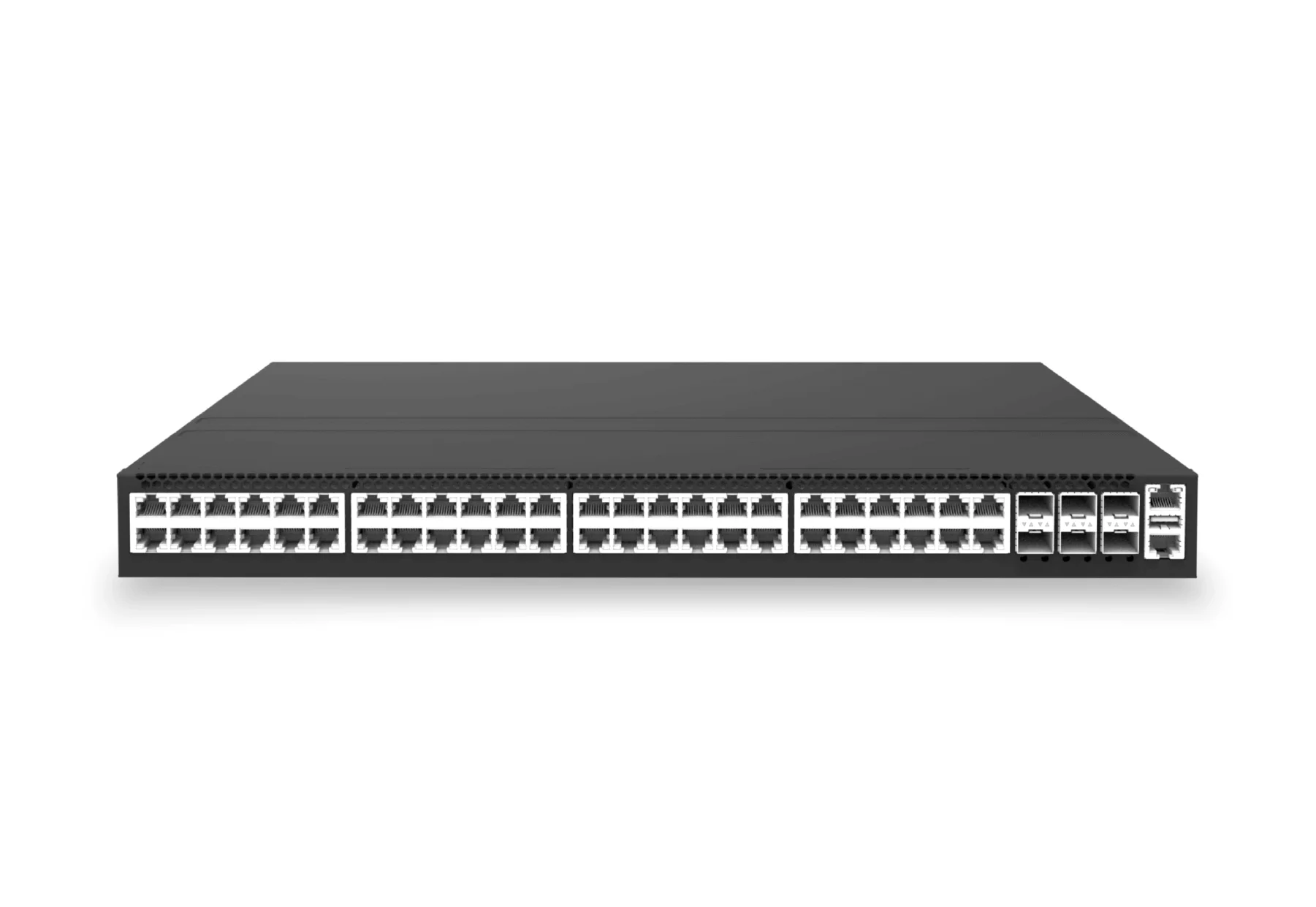 access aggregateXS-AA-48X2P5-6X25-POE144048x 2.5G RJ45 PoE campus access switch with 6x 25G SFP28 for PoE edge, access and aggregation networks.View product
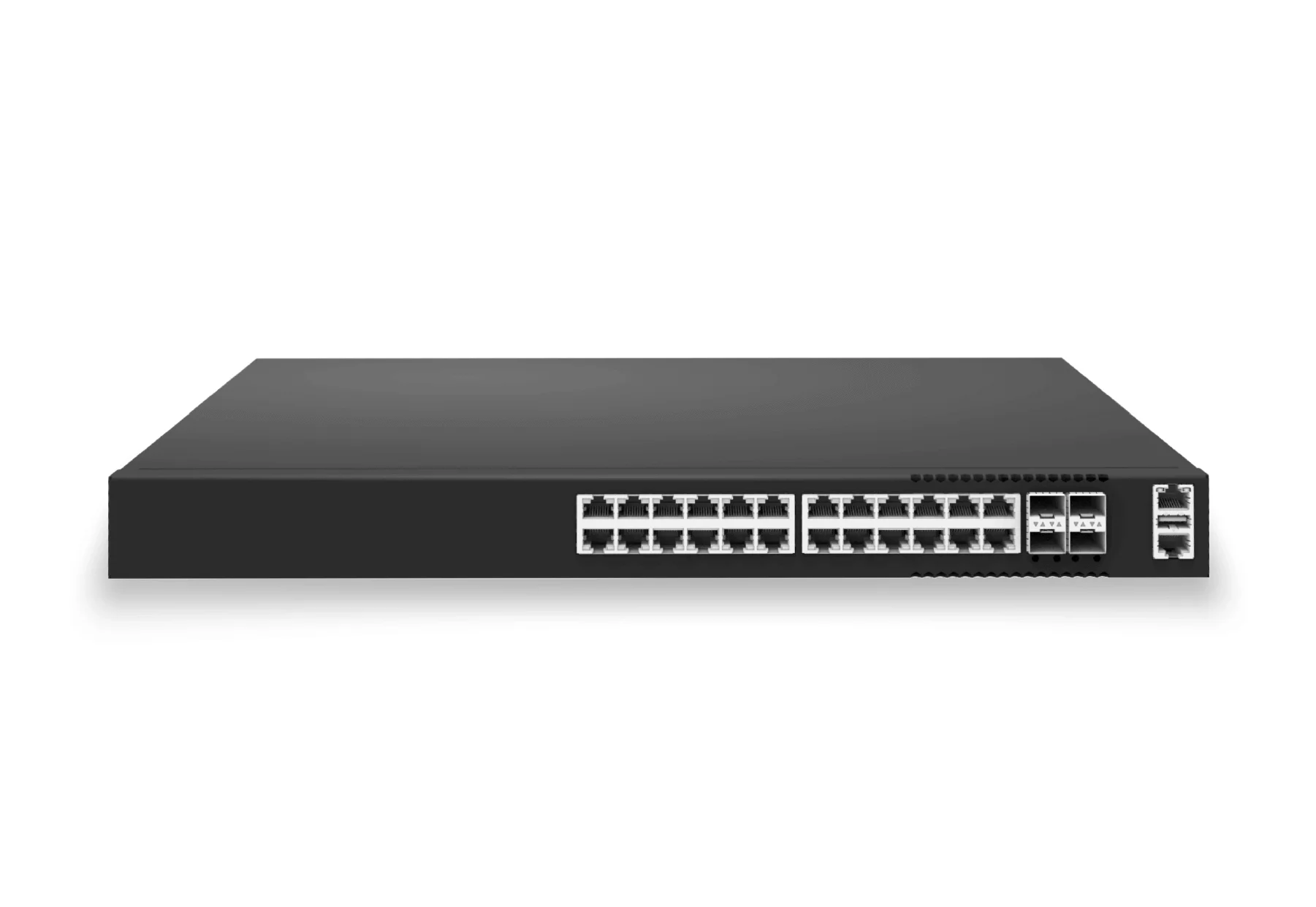 access aggregateXS-AA-24X2P5-4X25-POE74024x 2.5G RJ45 PoE campus access switch with 4x 25G SFP28 for PoE edge, access and aggregation networks.View product
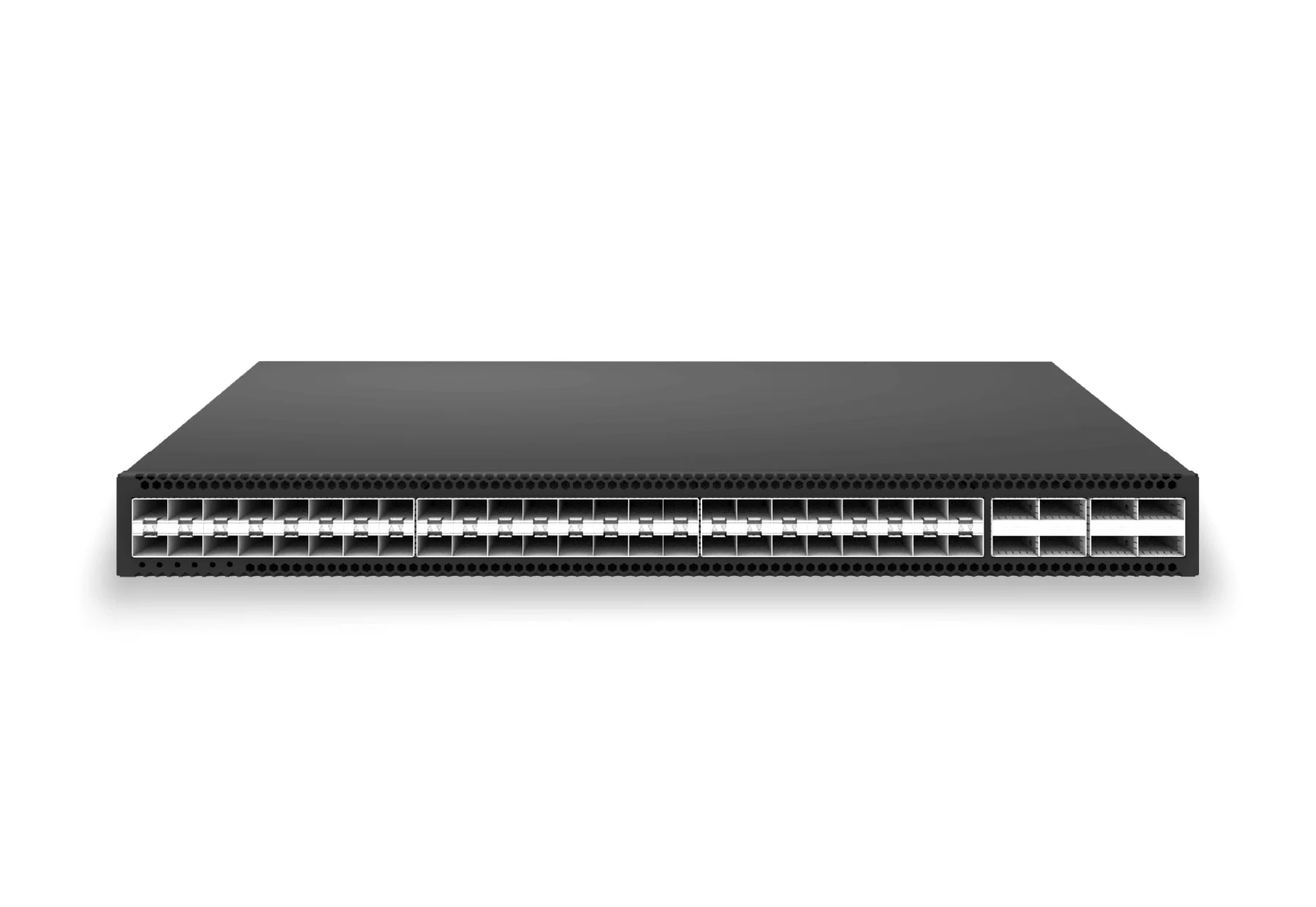 access aggregateXS-AA-48X25-8X100-AGG48x 25G SFP28 aggregation/core switch with 8x 100G QSFP28 for enterprise access and aggregation networks.View product
Continue reading
Related articles
 Technical ArticleWhy Open SONiC Campus Switches Are Gaining Ground in Australian PoE Refresh CyclesEngineering guidance on open SONiC campus switches for Australian PoE refresh cycles, covering 802.3bt budgets, NAC, uplinks, telemetry, and rollout risk.Read article
 Technical ArticleWhy Australian Campus IT Should Record SONiC White-Box Switching in Its ADRAn ADR framework for Australian campus IT teams evaluating SONiC white-box switching, PoE budgets, migration risk, support, and operations.Read article
 Technical ArticleSONiC Momentum Reaches Australia: What the Open NOS Shift Means for Data Center and Campus BuyersEngineering analysis of SONiC momentum in Australia, covering open NOS maturity, AI data center pressure, campus refresh, multi-vendor support, and buyer validation.Read article