In brief
Learn how SONiC's open-source, container-based architecture enables Ansible automation and zero-touch provisioning for Australian data centre and campus networks.
Key takeaways
- For Australian network teams managing growing data centre and campus environments, manual switch configuration is no longer sustainable.
- SONiC -- Software for Open Networking in the Cloud -- offers a foundation that makes large-scale network automation genuinely achievable.
- This guide walks through how SONiC's design enables automation, what a practical ZTP workflow looks like, and how Ansible fits into the picture.
For Australian network teams managing growing data centre and campus environments, manual switch configuration is no longer sustainable. Every hour spent logging into individual switches, copying configs, and troubleshooting provisioning errors is an hour lost to higher-value work.
SONiC — Software for Open Networking in the Cloud — offers a foundation that makes large-scale network automation genuinely achievable. Its Linux-based, containerised architecture, JSON configuration model, and broad multi-vendor support create natural integration points for tools like Ansible and zero-touch provisioning frameworks.
This guide walks through how SONiC’s design enables automation, what a practical ZTP workflow looks like, and how Ansible fits into the picture.
Why SONiC Is Built for Automation
SONiC is not just another network operating system with a scripting bolted on after the fact. Its architecture was designed from the ground up to be programmable.
Container-Based, Linux-Native Design
SONiC runs each network function — BGP, LLDP, DHCP, and others — in its own Docker container on top of a Debian Linux base. This matters for automation because:
- Each container can be managed, restarted, or updated independently.
- Standard Linux tooling (bash, Python, systemd) is available natively on the switch.
- Configuration state is centralised in a Redis-based database (CONFIG_DB), giving automation tools a single source of truth to read from and write to.
This containerised approach also provides better fault isolation. If the BGP container has an issue, it does not necessarily take down the entire switch management plane.
JSON-Based Configuration
SONiC uses JSON-format configuration files as its primary configuration model. This is a significant advantage for automation because:
- JSON is natively parseable by virtually every programming language and automation framework.
- Configuration templates can be rendered from Jinja2 templates in Ansible, making it straightforward to generate switch-specific configs from shared variables.
- The
config_db.jsonfile serves as the canonical configuration state, which can be backed up, diffed, and version-controlled like any other code artifact.
Multi-Vendor, Multi-ASIC Support
SONiC runs on switches from multiple hardware vendors and across different ASIC platforms. For Australian organisations that want to avoid single-vendor lock-in, this means the same automation playbooks and ZTP workflows can potentially target switches from different manufacturers — provided the SONiC image version and ASIC are compatible.
Always check the official SONiC supported devices and platforms list before assuming compatibility.
Zero-Touch Provisioning: The Basics
Zero-touch provisioning (ZTP) is the process of getting a switch from an unboxed, factory-default state to a fully configured and production-ready device with minimal or no manual intervention.
On SONiC switches, ZTP typically works through a DHCP-based discovery mechanism:
- Switch boots for the first time. SONiC starts with a default configuration.
- DHCP interaction. The switch sends a DHCP request. A DHCP server responds with options that point to a provisioning script or configuration file location (often via TFTP or HTTP).
- Script execution. The switch downloads and executes the provisioning script. This script can install a specific SONiC image, push a
config_db.jsonfile, or trigger further configuration steps. - Configuration applied. The switch reboots or reloads its configuration to apply the desired state.
This process means that a technician in a data centre or branch office can rack a switch, connect it to the management network, and walk away. The switch provisions itself.
What You Need for ZTP
- A DHCP server configured with appropriate options for SONiC ZTP.
- A reachable HTTP or TFTP server hosting SONiC images and configuration templates.
- Pre-generated configuration files or provisioning scripts for each switch role (leaf, spine, management, etc.).
- Network connectivity between the switch management port and the provisioning infrastructure.
Ansible and SONiC: How They Fit Together
Ansible is a natural choice for SONiC automation for several reasons:
- Agentless. Ansible connects to switches over SSH. SONiC’s Linux base means SSH is available out of the box.
- Idempotent. Well-written Ansible playbooks only make changes when needed, reducing the risk of unintended configuration drift.
- Inventory-driven. You can define your entire network topology in Ansible inventory files, grouping switches by role, site, or function.
- Community modules. The SONiC community maintains Ansible modules and roles for common tasks like pushing configurations, managing VLANs, and verifying state.
Typical Ansible Workflow for SONiC
A basic workflow looks like this:
- Define inventory. List all SONiC switches in an Ansible inventory, grouped by role (leaf, spine, border leaf, etc.) and site.
- Create configuration templates. Use Jinja2 templates to generate
config_db.jsonfiles for each switch role. Variables like hostname, IP addresses, VLAN assignments, and BGP neighbours are pulled from inventory or group variables. - Push configurations. Use Ansible playbooks to copy the generated configuration to each switch and trigger a config reload.
- Verify state. Run validation playbooks that execute SONiC CLI commands (
show interfaces status,show ip route,show bgp summary) and check that the output matches expected values. - Ongoing management. Use Ansible for firmware upgrades, configuration backups, compliance checks, and change management.
Combining ZTP with Ansible
ZTP and Ansible are complementary, not competing approaches:
- ZTP handles Day 0. It gets the switch from bare metal to a base SONiC configuration with network connectivity.
- Ansible handles Day 1 and beyond. Once the switch is reachable on the network, Ansible takes over for detailed configuration, ongoing management, and compliance enforcement.
A practical combined workflow for an Australian data centre might look like:
- Switch arrives at the facility.
- Technician racks and cables the switch.
- ZTP provisions a base image and management IP.
- Ansible discovers the new switch (via dynamic inventory or a CMDB trigger).
- Ansible applies the full role-specific configuration.
- Validation playbooks confirm the switch is production-ready.
Choosing Your SONiC Automation Approach
| Factor | ZTP Only | Ansible Only | ZTP + Ansible |
|---|---|---|---|
| Day 0 provisioning speed | Fast | Slow (manual discovery) | Fast |
| Day 1+ configuration depth | Limited | Full | Full |
| Ongoing compliance | No | Yes | Yes |
| Infrastructure required | DHCP + TFTP/HTTP | SSH + Ansible control node | Both |
| Recommended for | Remote/branch sites | Existing managed networks | Greenfield data centres |
Automation Acceptance Matrix
Automation is only useful when it is repeatable under failure. A SONiC deployment workflow should prove bootstrapping, configuration, validation, and rollback before it touches production switches.
| Workflow stage | Acceptance evidence | Rework trigger |
|---|---|---|
| Day 0 ZTP | Factory-default switch receives DHCP option, downloads script over HTTP/TFTP, installs the approved image, and reaches management within 15 minutes | Any step requires console intervention or undocumented technician action |
| Inventory and templating | Ansible inventory renders hostname, management IP, VLANs, BGP neighbors, and role variables from version-controlled data | A switch role depends on hand-edited config outside Git or CMDB records |
| Day 1 validation | Playbook confirms interface state, BGP sessions, route count, LLDP neighbors, and config checksum within 5 minutes of deployment | Deployment is considered successful before validation evidence is captured |
| Drift detection | Scheduled run compares intended config and live CONFIG_DB at least every 24 hours | Manual switch changes can persist for more than 1 day without alerting |
| Rollback | Previous config and image version can be restored during a 2-hour maintenance window | Rollback plan depends on a copy-paste CLI session from one engineer |
Common Pitfalls for Australian Teams
- ASIC compatibility gaps. Not all SONiC images support all ASICs. Verify before ordering hardware.
- Image version drift. ZTP scripts and Ansible playbooks must target a specific SONiC version. Version mismatches are a common source of failures.
- DHCP scope sizing. Ensure your management VLAN DHCP scopes are large enough for the number of switches being provisioned.
- Template complexity. Start with simple configurations and iterate. Trying to template everything on day one leads to unmanageable playbooks.
- Australian timezone and support. Open-source SONiC community support operates globally. Consider whether your team needs a local support arrangement for production environments.
Next Steps
If you are exploring SONiC for your Australian network:
- Review the SONiC supported devices list to confirm hardware compatibility.
- Set up a lab environment with a single SONiC switch and an Ansible control node.
- Start with a simple playbook that pushes a base configuration and validates it.
- Build out ZTP scripts for your specific provisioning workflow.
- Reach out to the xSONiC team for guidance on hardware selection and pre-validated configurations.
SONiC’s open, Linux-based architecture removes many of the barriers that have historically made network automation painful. With the right tooling and a phased approach, Australian network teams can achieve genuinely hands-off switch provisioning at scale.
Engineering Evidence Floor
For SONiC and open networking articles, the acceptance standard is operational proof, not community momentum. The evidence package should name the switch SKU, ASIC, SAI version, ONIE status, SONiC image, optics matrix, automation interface, support path, and rollback procedure. A practical pilot should run for 30 days, include 3 automated configuration changes, validate 100G/400G links where relevant, and prove that a P1 evidence bundle can be assembled within 2 hours.
| Evidence area | What to validate | Acceptance gate | Rework trigger |
|---|---|---|---|
| Platform | SKU, ASIC, ONIE, SAI, image, and optics | 2 platforms boot, upgrade, and rollback | Hardware support is assumed |
| Automation | Source of truth, API/gNMI/NETCONF, backup, and diff | 3 changes pass state readback | CLI drift becomes normal |
| Operations | Logs, telemetry, failure runbook, and escalation owner | P1 bundle ready within 2 hours | Fault isolation depends on one engineer |
| Lifecycle | Patch cadence, CVE process, spare plan, and support SLA | 12 months plan approved | Security and RMA ownership is unclear |
| Commercial | Hardware, support, optics, training, and migration labour | Risk-adjusted TCO is documented | Savings vanish after rework |
Engineering FAQ
What should a SONiC automation pilot prove first? Prove Day 0 ZTP, Ansible inventory rendering, config reload, validation checks, drift detection, and rollback on 1 leaf and 1 spine or 1 access and 1 aggregation switch before scaling.
Why should network automation be version controlled? Version control gives an evidence trail for who changed intent, what config was generated, which validation passed, and which rollback state is available during a failure.
What commonly breaks ZTP in Australian sites? DHCP option mismatch, management VLAN reachability, expired image URLs, DNS/proxy rules, console-only recovery, and support ownership gaps commonly break first-boot provisioning.
Related xSONiC Resources
Sources Reviewed
- Ethernet Network Adapters - ConnectX NICs | NVIDIA
- NVIDIA BlueField Data Processing Unit
- NVIDIA Spectrum-X Ethernet Platform
- SONiC Project Documentation
- Broadcom Ethernet Switching
- Marvell Switching
- NVIDIA Ethernet Switching
- Open Compute Networking
- SONiC GitHub
- SONiC Foundation
Product fit
Products referenced for evaluation
These products are referenced for evaluation context in the article. Confirm workload, port, optics, software, interoperability, and support requirements against the exact deployment before procurement.
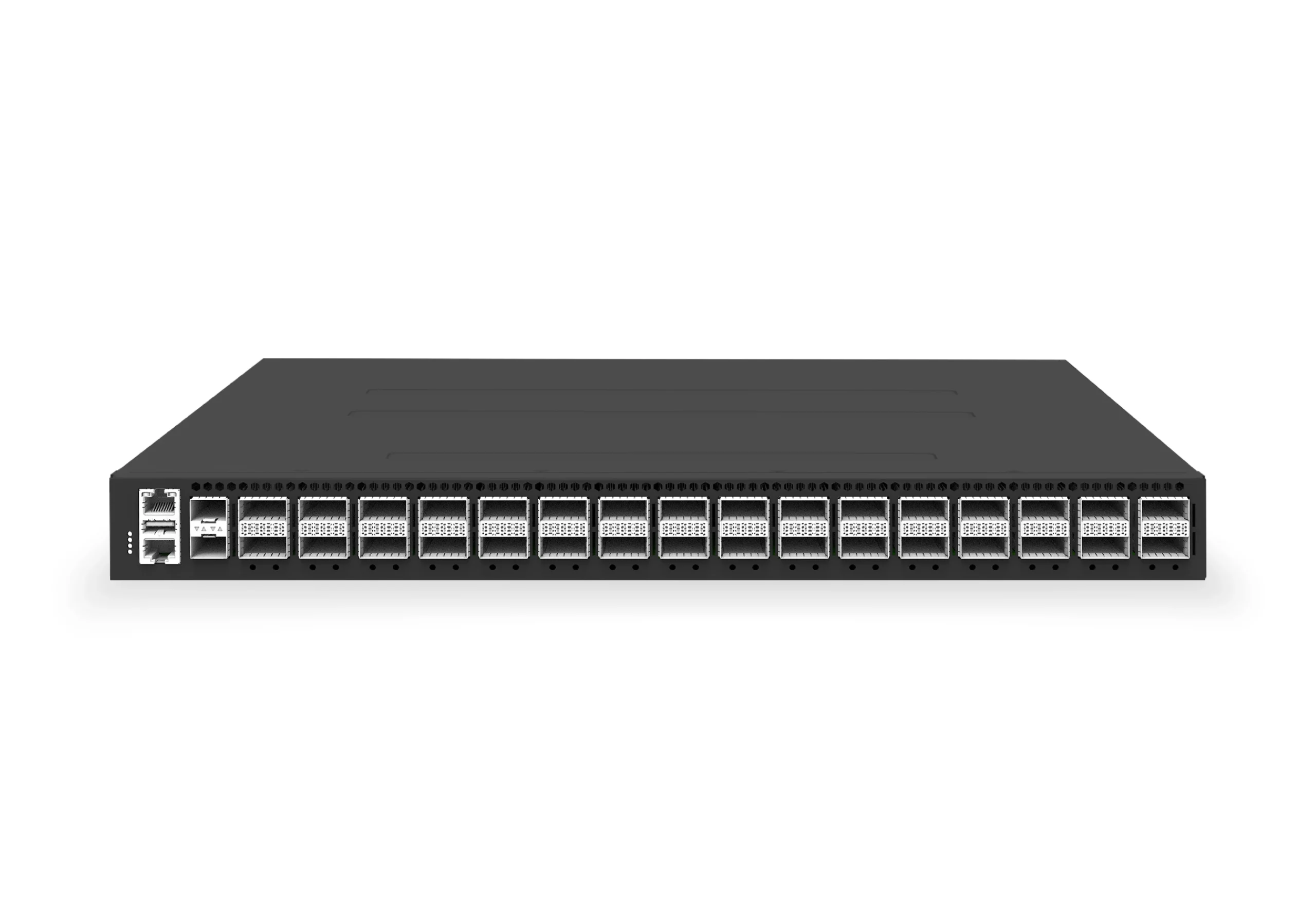 datacenter aiXS-DC-32X400-SP-G232-port 400G spine/core switch for high-capacity data center fabrics and AI-ready backbones.View product
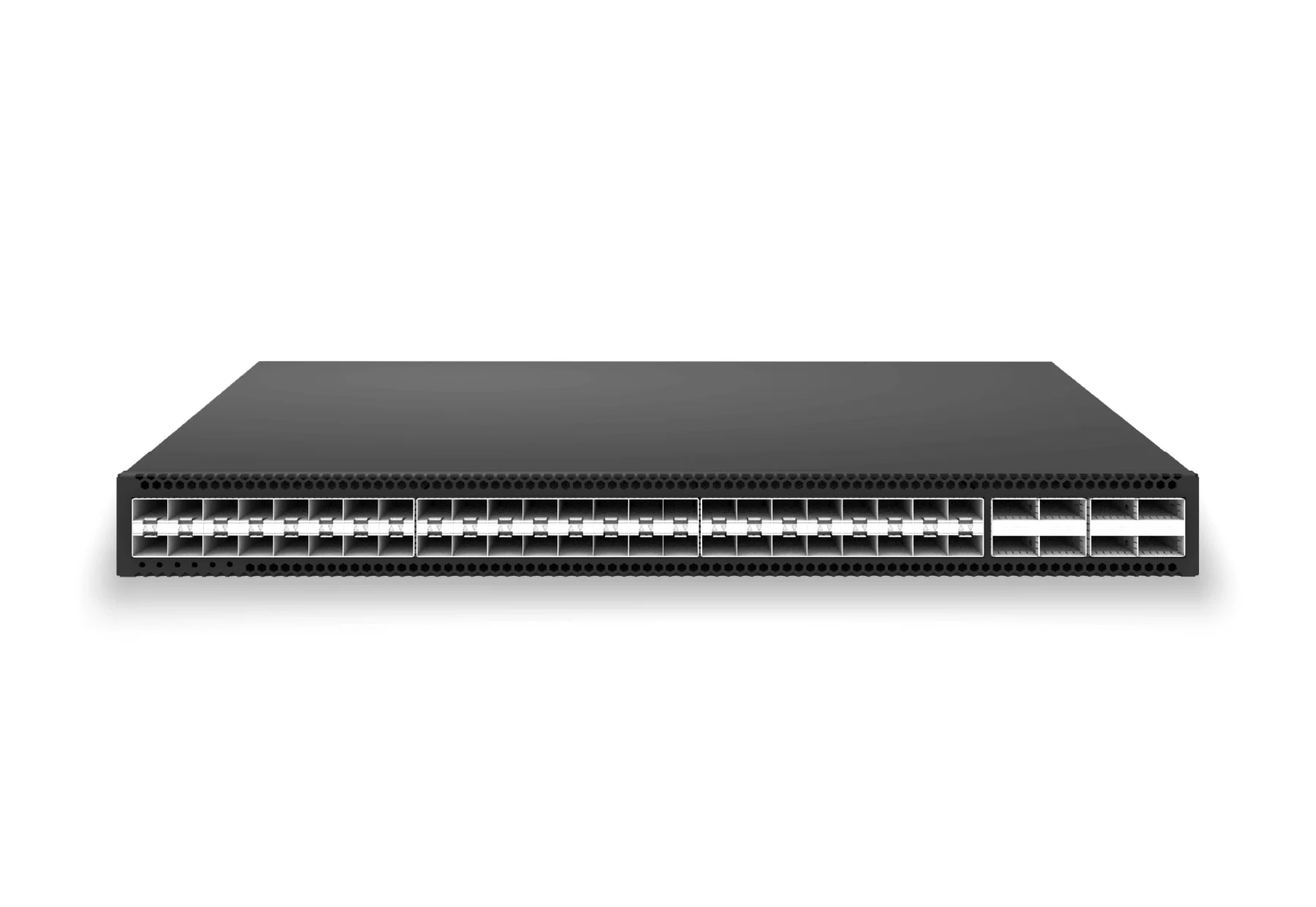 access aggregateXS-AA-48X25-8X100-AGG48x 25G SFP28 aggregation/core switch with 8x 100G QSFP28 for enterprise access and aggregation networks.View product
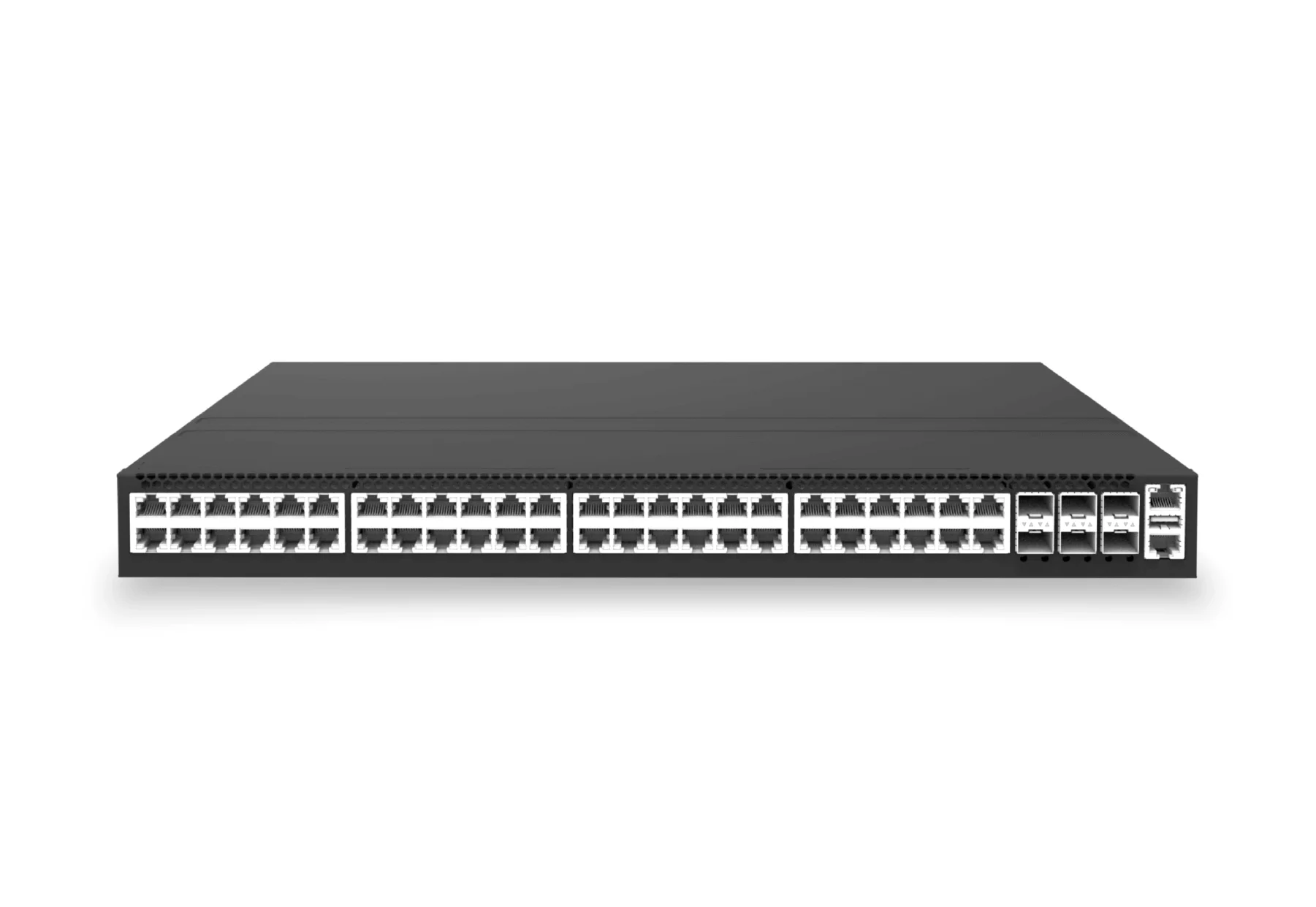 access aggregateXS-AA-48X2P5-6X25-POE144048x 2.5G RJ45 PoE campus access switch with 6x 25G SFP28 for PoE edge, access and aggregation networks.View product
Continue reading
Related articles
 Technical ArticleWhy Enterprise Buyers Are Moving to SONiC on White Box Switches: A Practical Guide for Australian NetworksPractical guide for Australian enterprise buyers evaluating SONiC on white-box switches, covering hardware, ASICs, support, automation, and TCO.Read article
 Technical ArticleSONiC Ecosystem: How Open Networking Runs Across OCP Vendors and Cloud OperatorsA practical guide to the SONiC ecosystem across OCP, SAI, cloud operators, ASIC vendors, and Australian enterprise adoption decisions.Read article
 Technical ArticleOpen SONiC Enterprise Adoption Reaches a Turning Point: What Australian Network Buyers Should KnowWhat Australian buyers should validate as Open SONiC adoption moves into enterprise networks, covering support, features, automation, and risk.Read article